The Kateeb engine, multi-record extraction, zero-hallucination rules, and resume.
6 · Running an extraction
With verified files in the queue and a saved schema, you're ready for the main event.
Starting a job
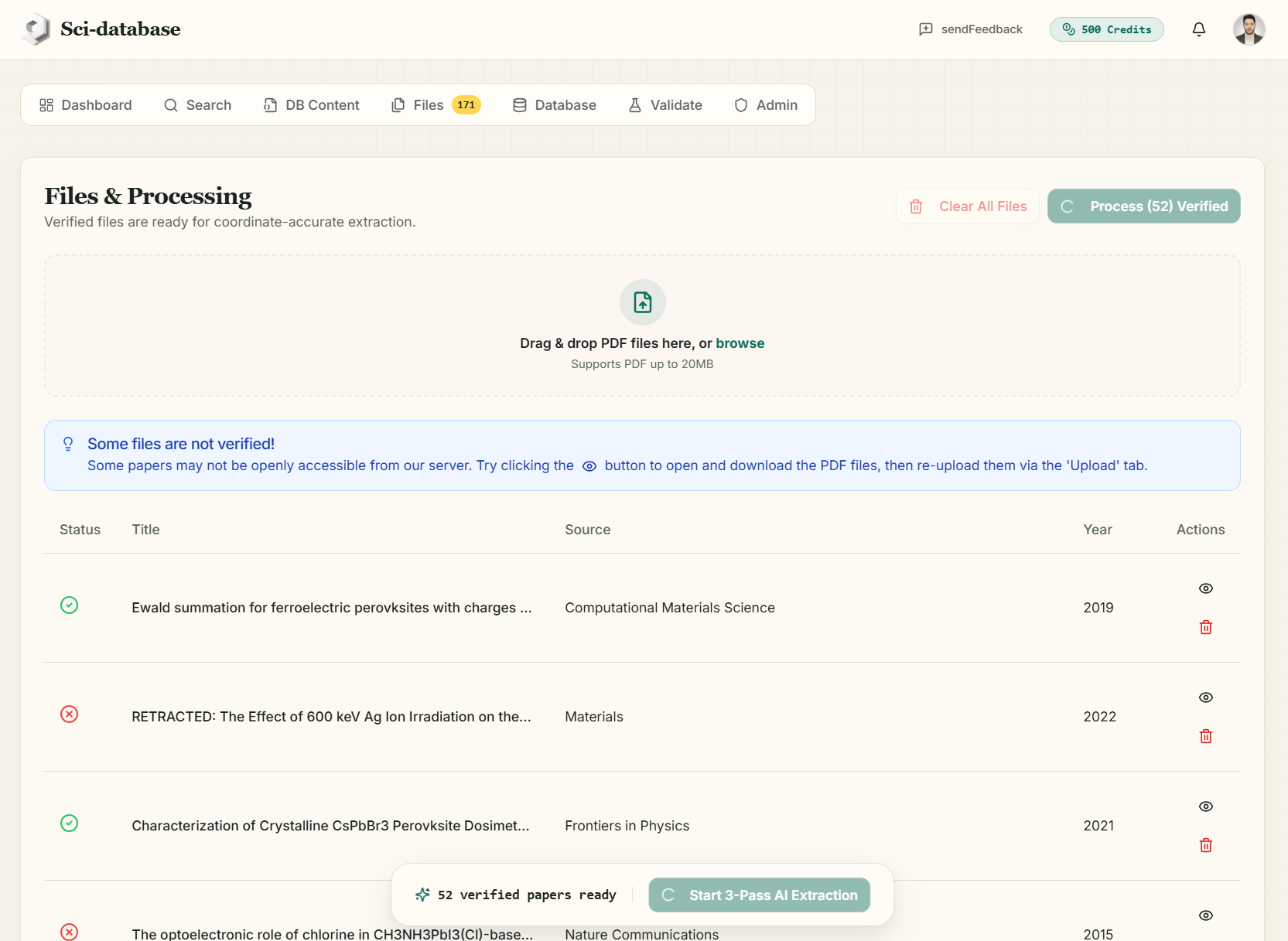
In the Files tab, click Process (N) Verified (or Start 3-Pass AI Extraction in the floating dock). What happens:
- 1 credit per paper is charged up front.
- A job is created containing your papers and a permanent snapshot of your schema.
- You get a confirmation email ("Sci-database Job Submitted"), the toast "Job Submitted — N papers are now being processed." appears, and the app switches you to the Database tab automatically.
You can close the browser — processing continues on the server, and the results will be emailed to you.
What happens to each paper
Papers are processed one at a time, in order:
- The PDF is downloaded and its full text extracted (up to ~950,000 characters — entire papers, not just abstracts).
- The Kateeb engine reads the text against your schema under strict instructions — the key ones, verbatim from the extraction prompt:
- "Find all distinct records that match the schema" — one paper can produce multiple rows (e.g. several materials or study arms).
- "If a paper is irrelevant to the schema, return an empty array" — irrelevant papers yield nothing, not noise.
- "For any field, if the value is missing, not present, or you are not 99% confident, you MUST return the exact string 'N/A'. Do not use null or guess."
- "For numerical values, extract the exact value from the paper. Do not round."
- The extracted records and token usage are saved to the job.
Watching progress
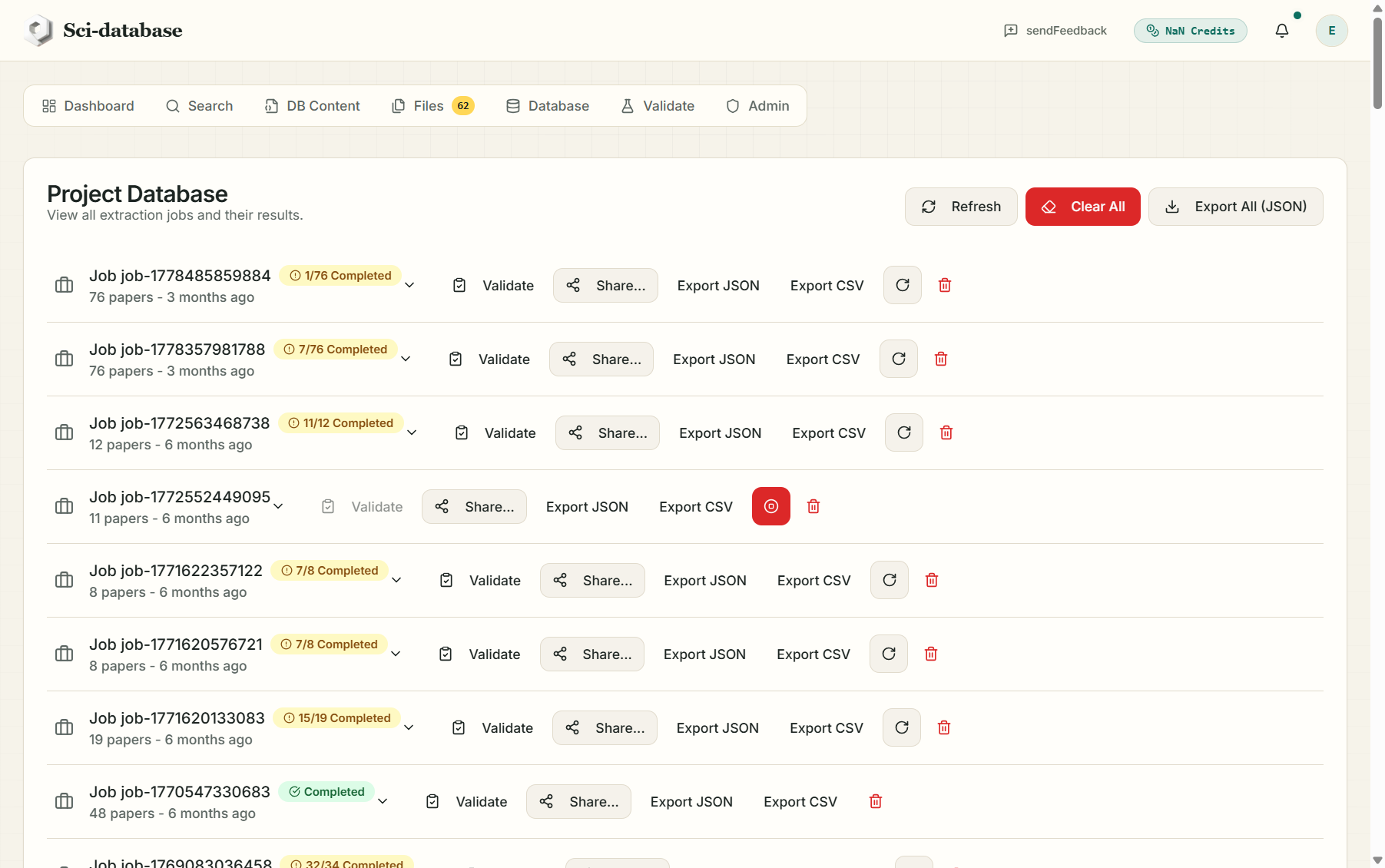
The Database tab refreshes automatically every few seconds while a job runs. Each paper carries a status badge:
| Badge | Meaning |
|---|---|
| Queued | Waiting its turn |
| Processing (spinner) | Being read right now |
| Completed | Extraction finished |
| Error | This paper failed (e.g. unreadable/scanned PDF) — the error message is stored on the paper |
Job-level statuses: Processing → Completed (all papers succeeded), "X/Y Completed" (partial success — some papers failed), or Error (none succeeded).
Stop and resume
- Stop (⏹ icon on the job row) halts the worker after the current paper: "Job Stopped — Processing will halt shortly." Papers already completed keep their data.
- Resume (↻ icon) restarts a stopped or partial job. Only the unfinished papers are re-queued and re-charged (1 credit each) — completed papers are never re-processed or re-charged.
When the job finishes
- You receive an email — "Sci-database Job Finished" — with the results CSV attached, so your database is in your inbox even before you return to the app.
- The Dashboard's "next step" card moves on to "Explore Your New Database".
A note on scale: a single stalled paper can't block your job — if a paper errors, the worker records the error and moves on, and the job ends as a partial success that you can resume or export as-is.